
4 Fastest Ways to Buy Coins on Binance

4 Fastest Ways to Buy Coins on Binance

How to buy coins on Binance P2P 

You can find out details about P2P here.

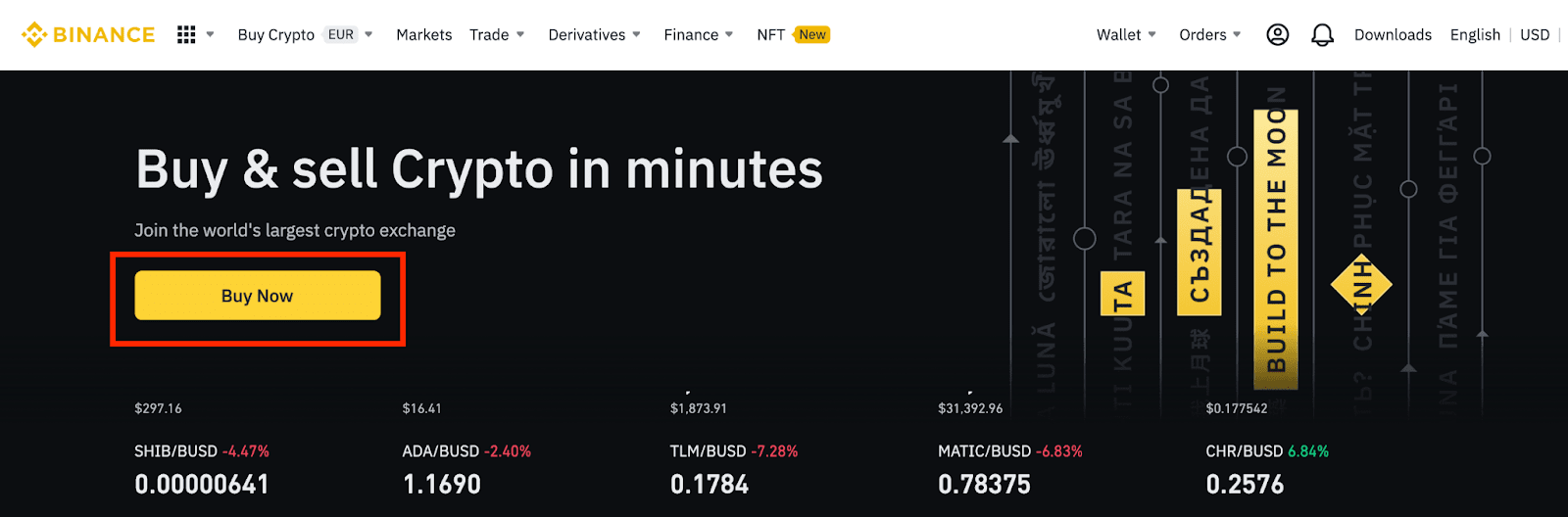
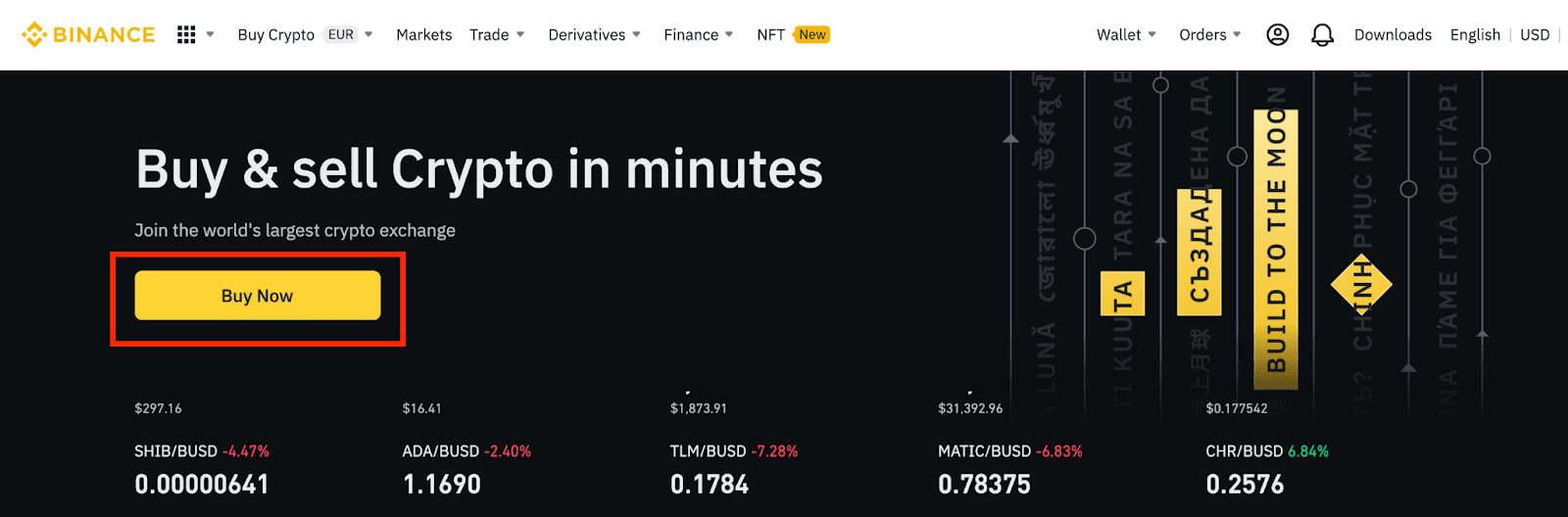
Step 1: Log in to your Binance account and click [Buy Now] on the homepage.
4 Fastest Ways to Buy Coins on Binance
Log in to your Binance account and click [Buy Now] on the homepage
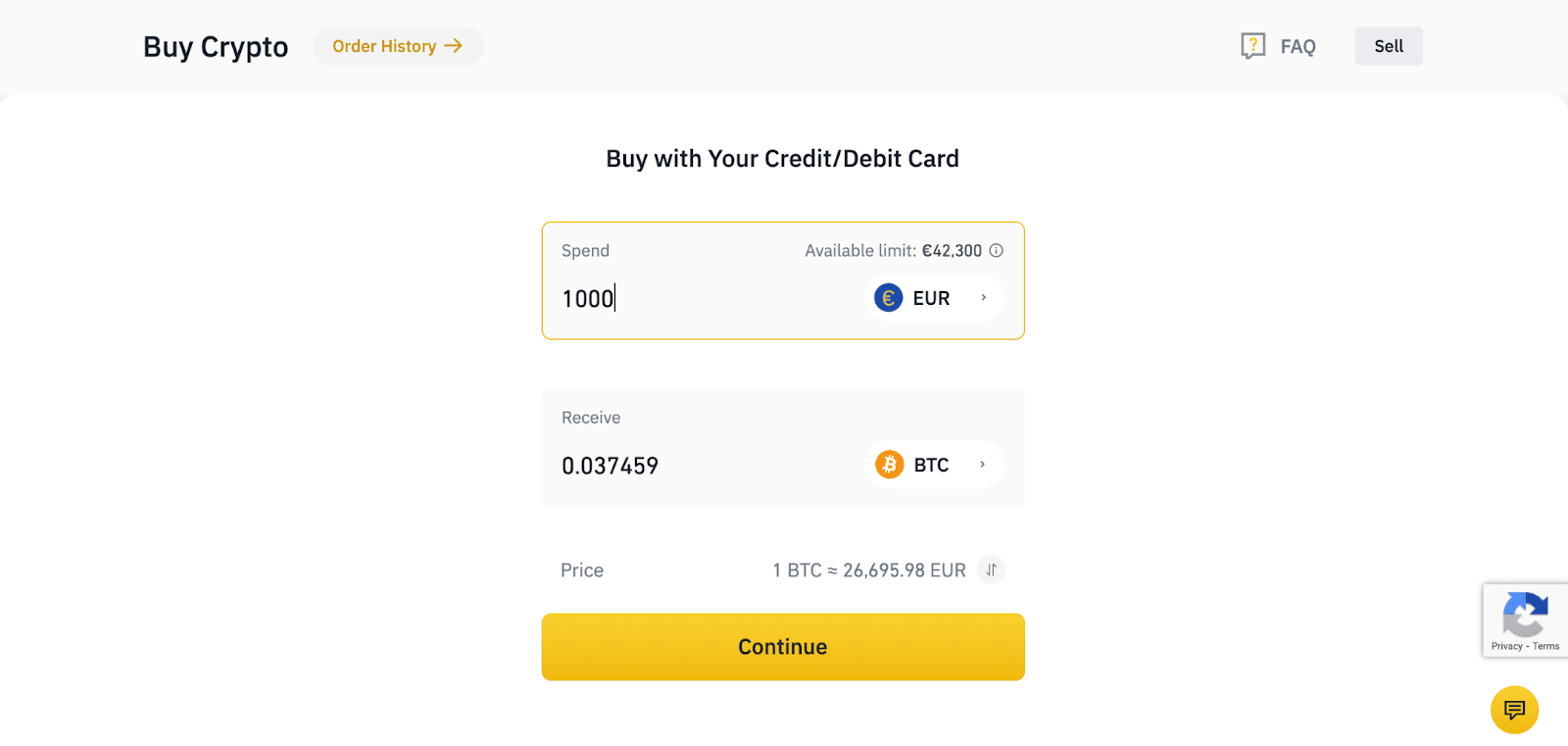
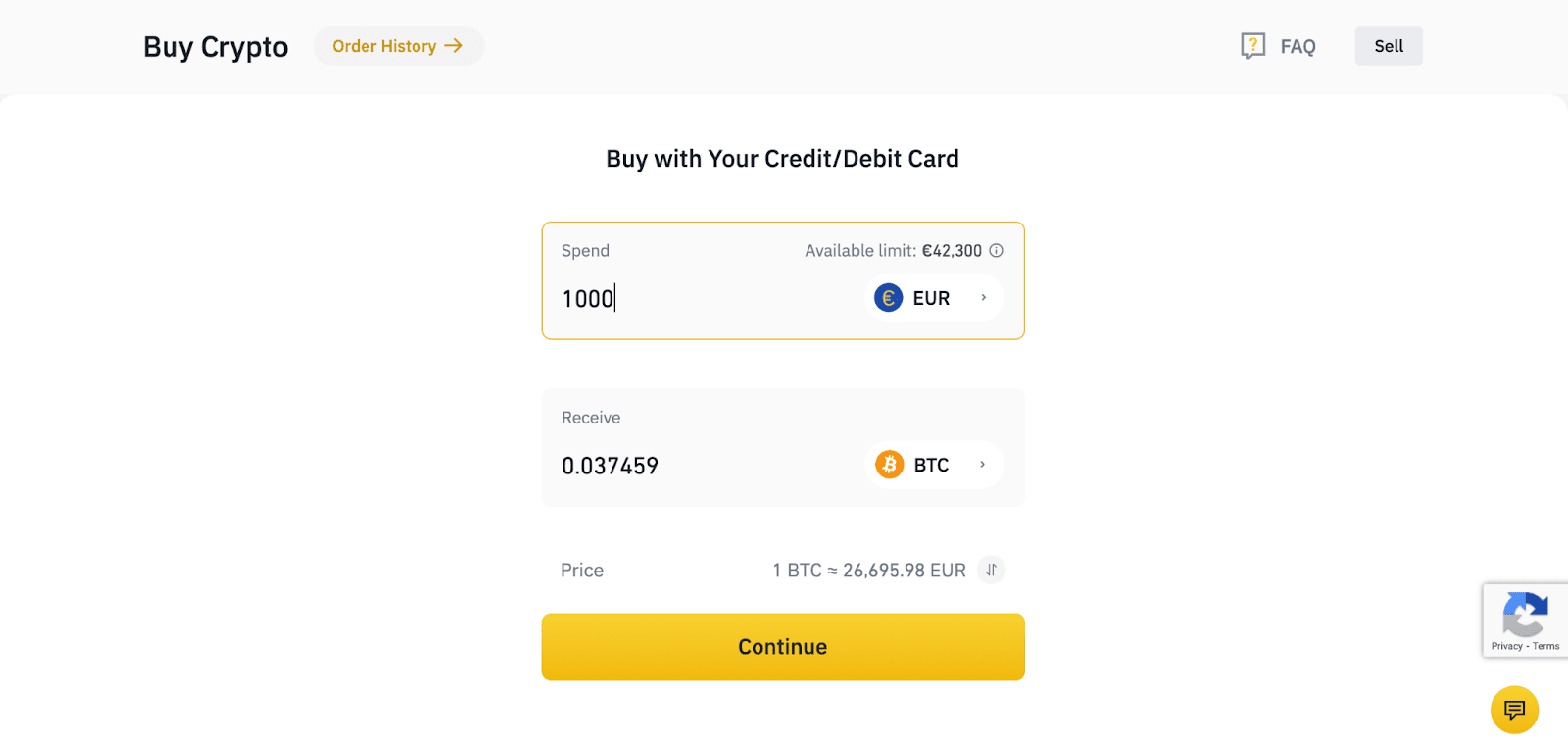
Step 2: Enter the amount of fiat you want to spend and the system will automatically show the amount of cryptocurrency you can get. Click [Continue].

4 Fastest Ways to Buy Coins on Binance
Enter the amount of fiat and click [Continue]
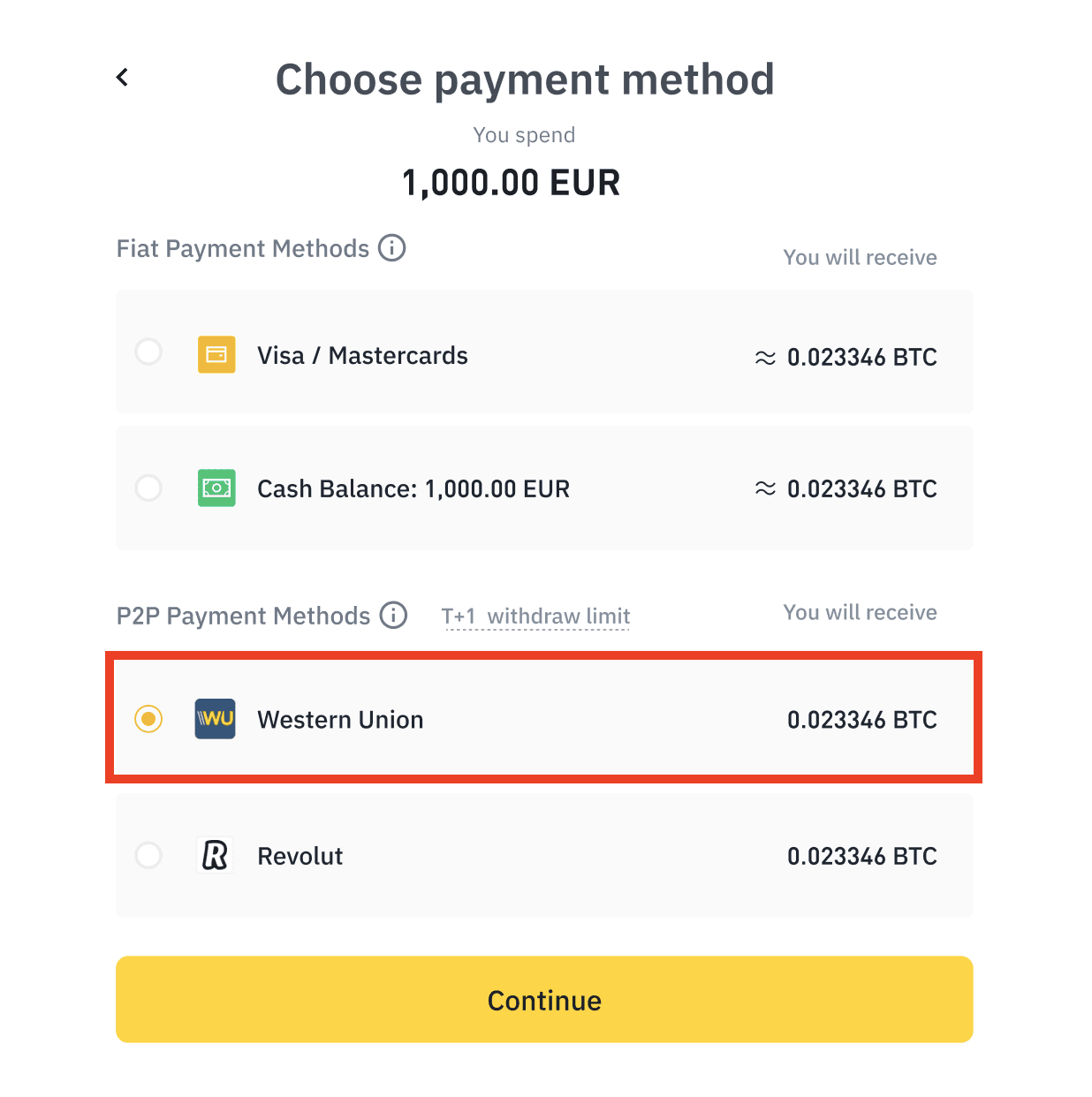
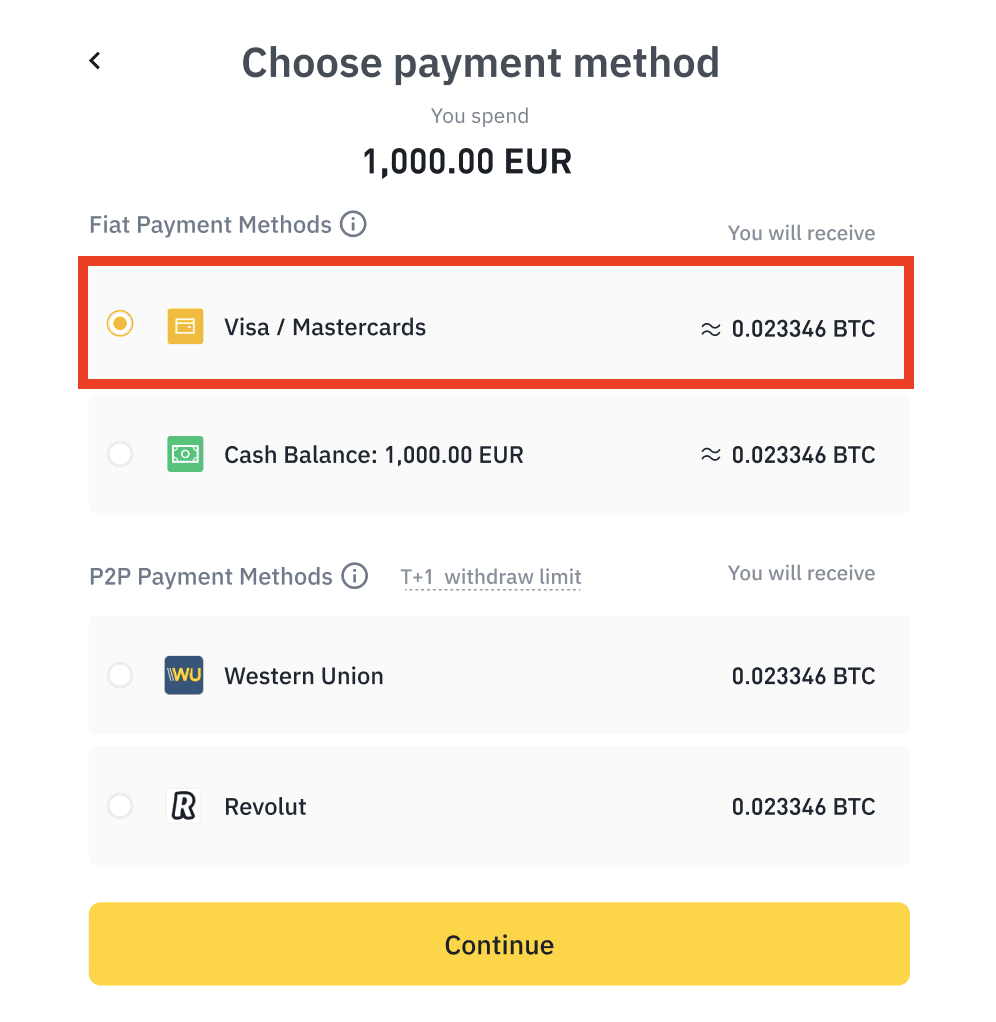
Step 3: Select the desired payment method on Binance P2P and click [Continue].

4 Fastest Ways to Buy Coins on Binance
Select the desired payment method and click [Continue].
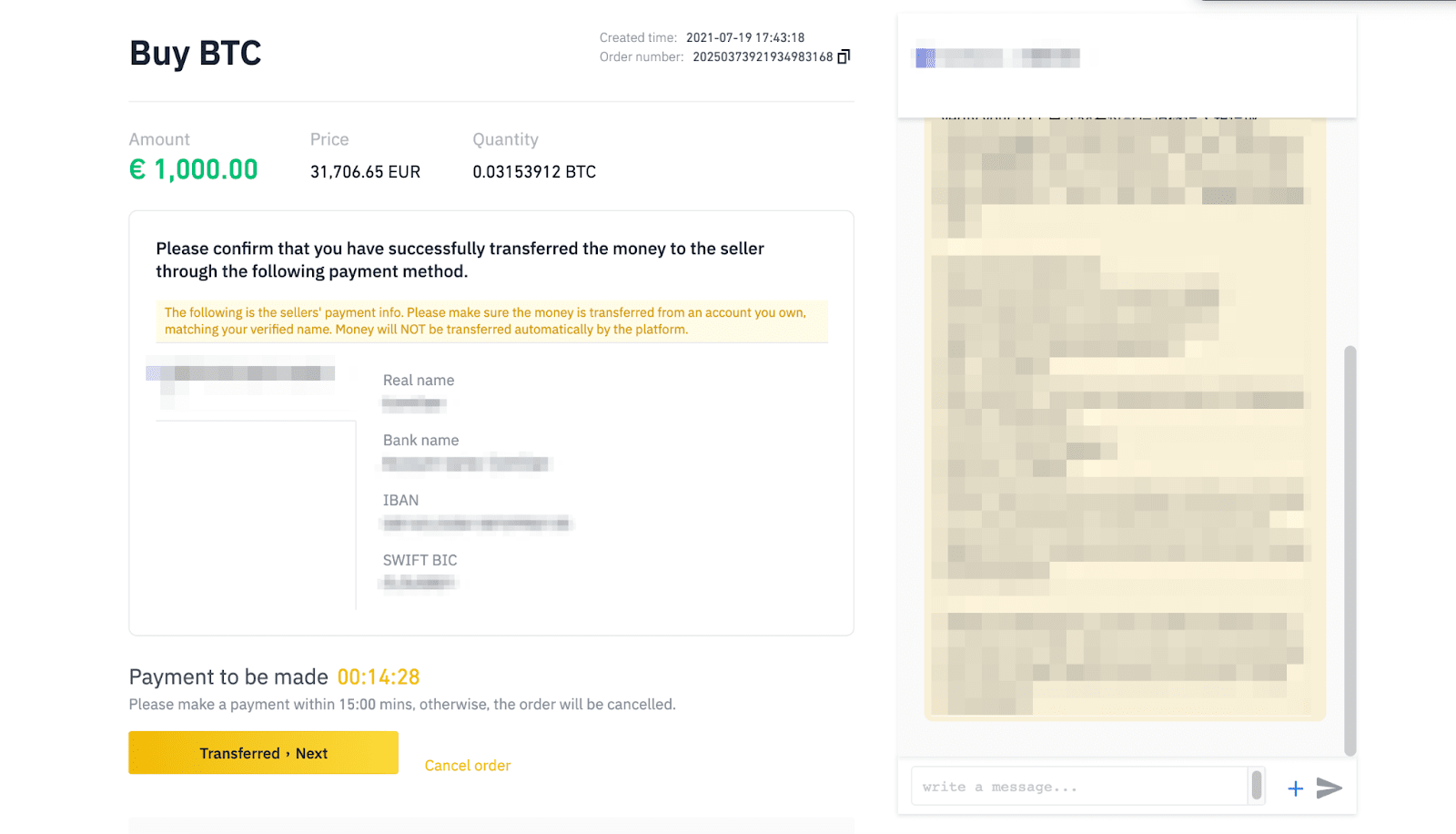
Step 4: The system will automatically match your buy order with the seller’s notice in the market. You will see payment details here. Please transfer the funds within the given time that merchant specified and click [Transferred, Next] to complete.

4 Fastest Ways to Buy Coins on Binance
Click [Transferred, Next]
Step 5: Then, the seller will check if they have received your payment and transfer the cryptocurrency to your account.

For more information about P2P trading, please visit Binance P2P here.

Buy coins with a cash balance

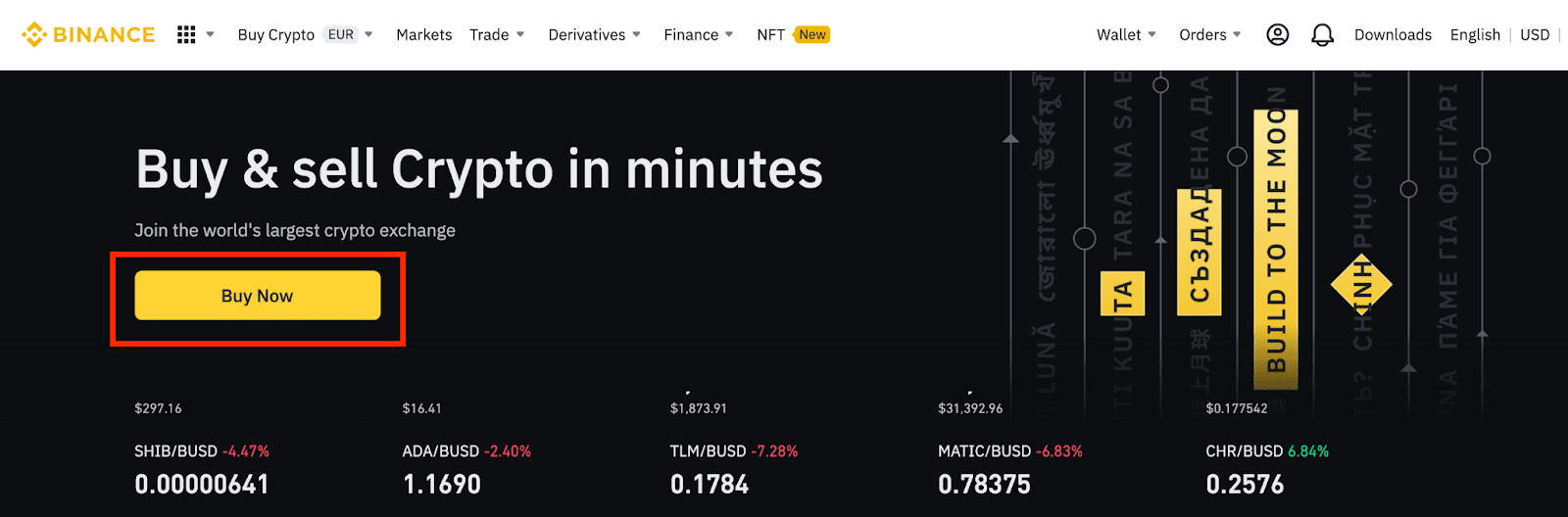
Step 1: Log in to your Binance account and click [Buy now] on the homepage.
4 Fastest Ways to Buy Coins on Binance
Log in to your Binance account and click [Buy now] on the homepage
Step 2: Enter the amount of fiat you want to spend and the system will automatically show how much cryptocurrency you can get. Click [Continue].

4 Fastest Ways to Buy Coins on Binance
Enter the amount of fiat and click [Continue]
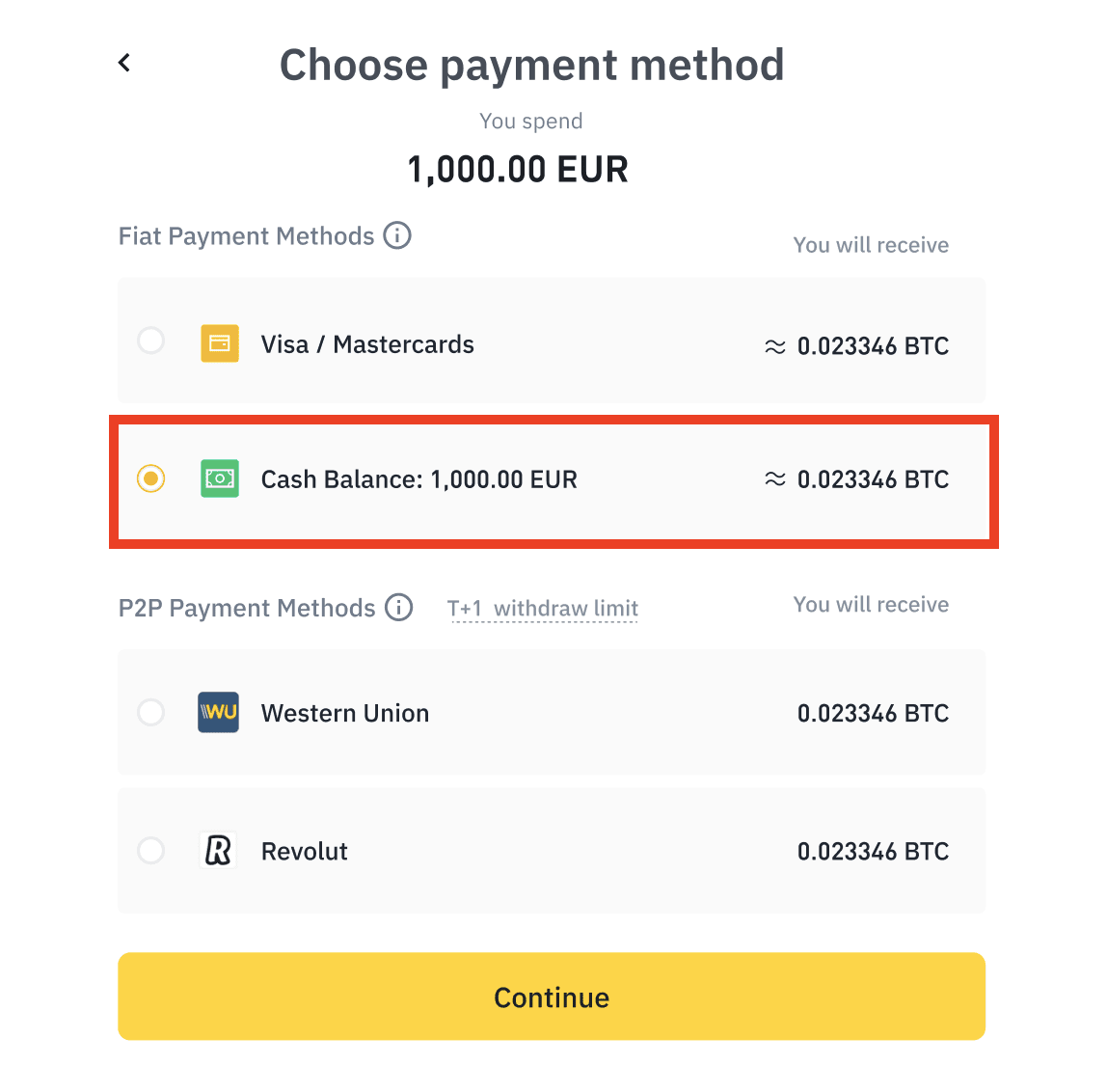
Step 3: Choose payment method. Click [Cash balance] – [Continue].

4 Fastest Ways to Buy Coins on Binance
Click [Cash Balance] – [Continue]
Please note that if you don’t have enough balance in your account, you’ll be redirected to the [Deposit] page.

Step 4: Please check the payment and fee details. Click [Confirm] to confirm your order within 1 minute, otherwise the cryptocurrency amount you can receive will be recalculated based on the current market price. You can click [Refresh] to see the number of new orders.

4 Fastest Ways to Buy Coins on Binance
Click [Confirm] to confirm your order within 1 minute

How to buy coins on Binance with Mastercard/Visa card

Step 1: Log in to your Binance account and click [Buy now] on the homepage.
4 Fastest Ways to Buy Coins on Binance
Sign in to your Binance account and click [Buy Now] on the homepage
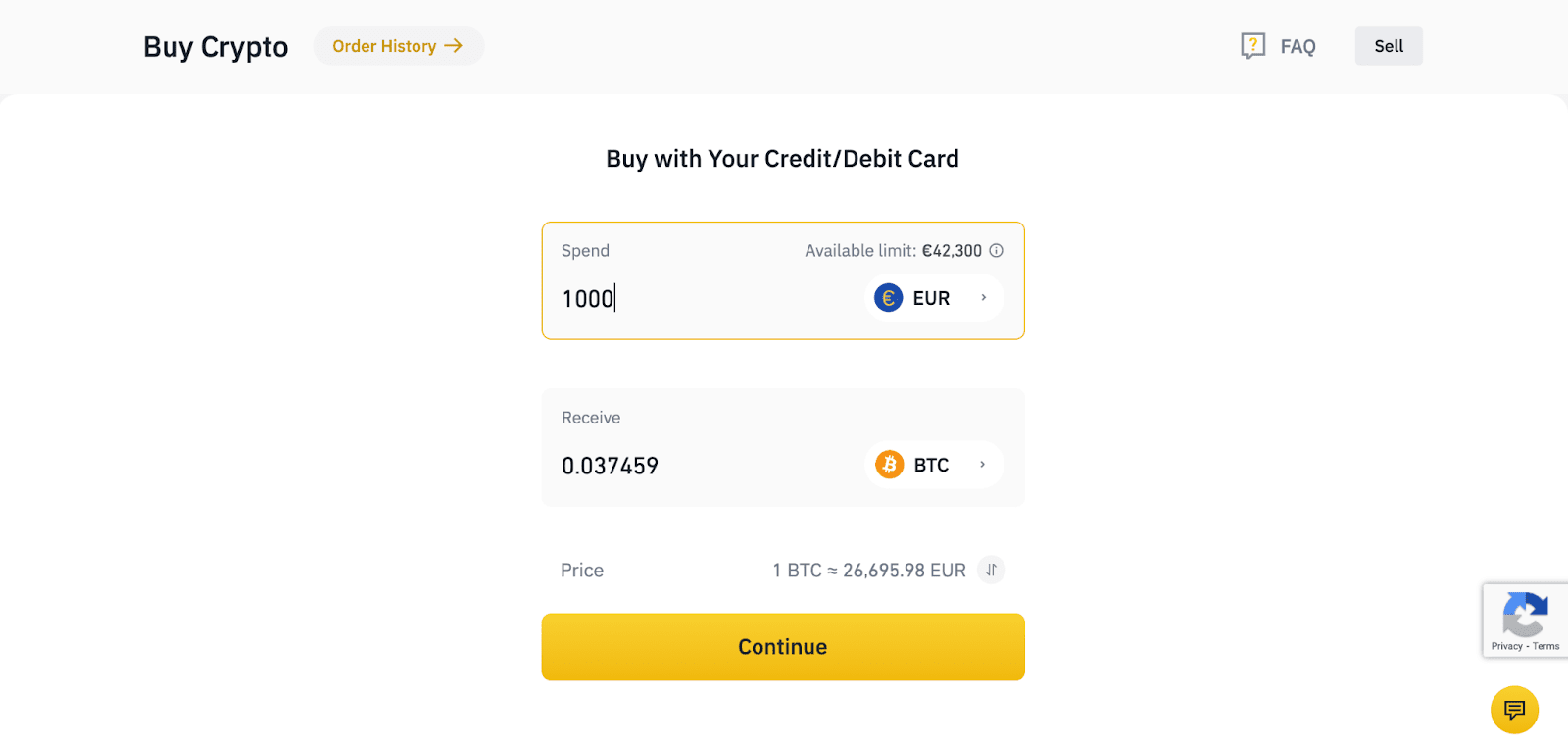
Step 2: You can choose to buy coins in different fiat currencies. Enter the fiat amount you want to spend and the system will automatically show the amount of cryptocurrency you can get. Click [Continue].

4 Fastest Ways to Buy Coins on Binance
Enter the fiat amount you want to spend and click [Continue]
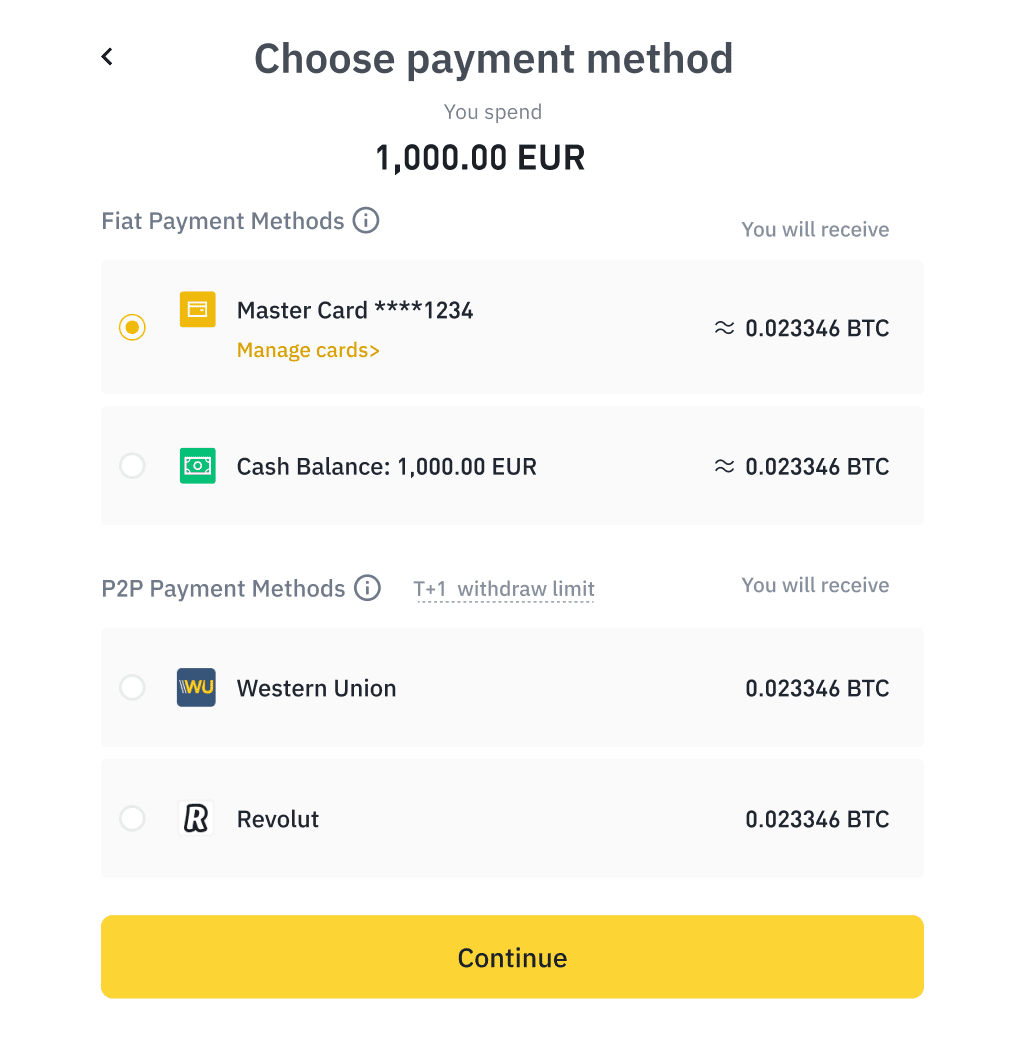
Step 3: You can choose your preferred payment method here. Click [Visa/Mastercard] – [Continue].

4 Fastest Ways to Buy Coins on Binance
Click [Visa/Mastercard] – [Continue]
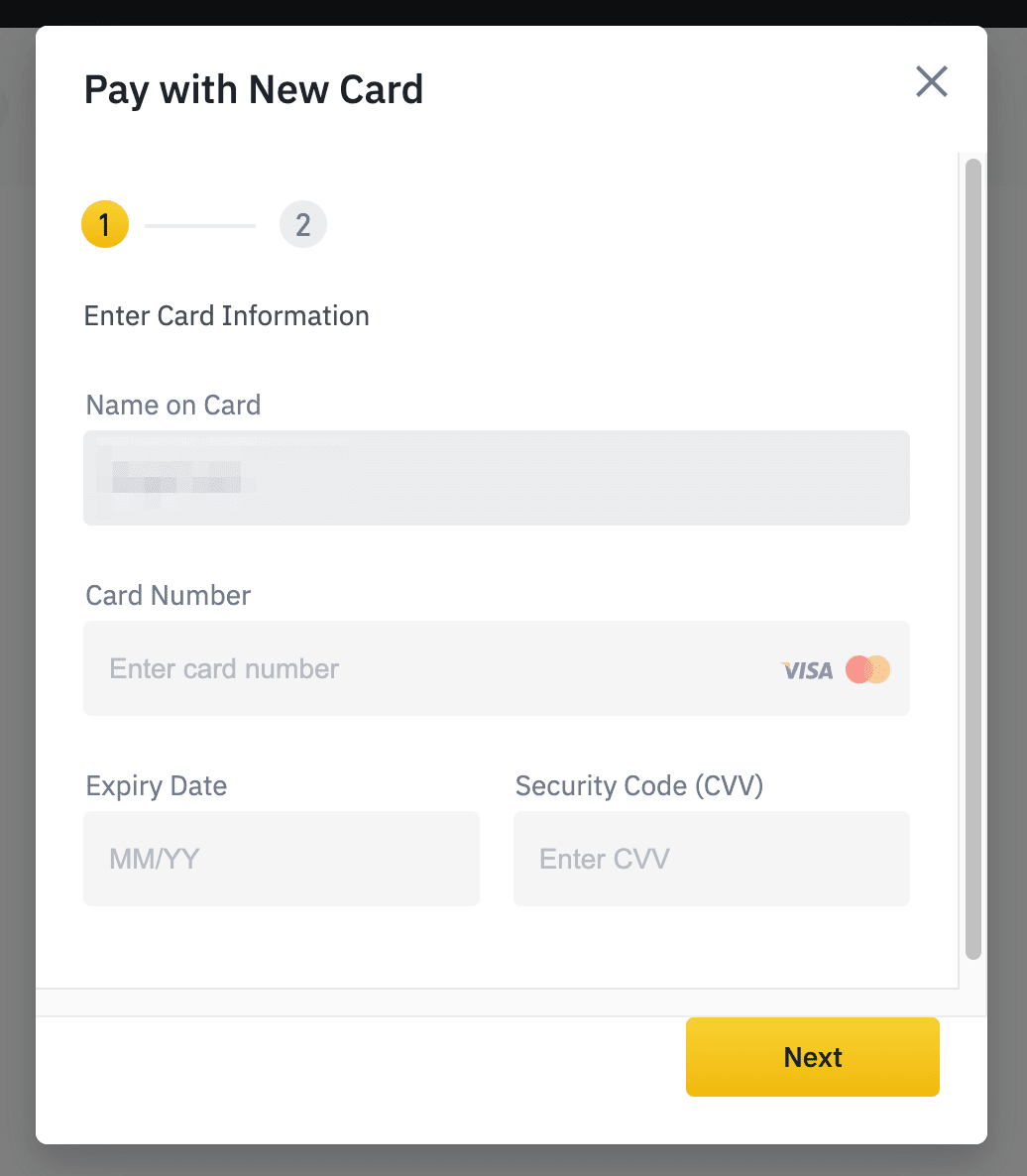
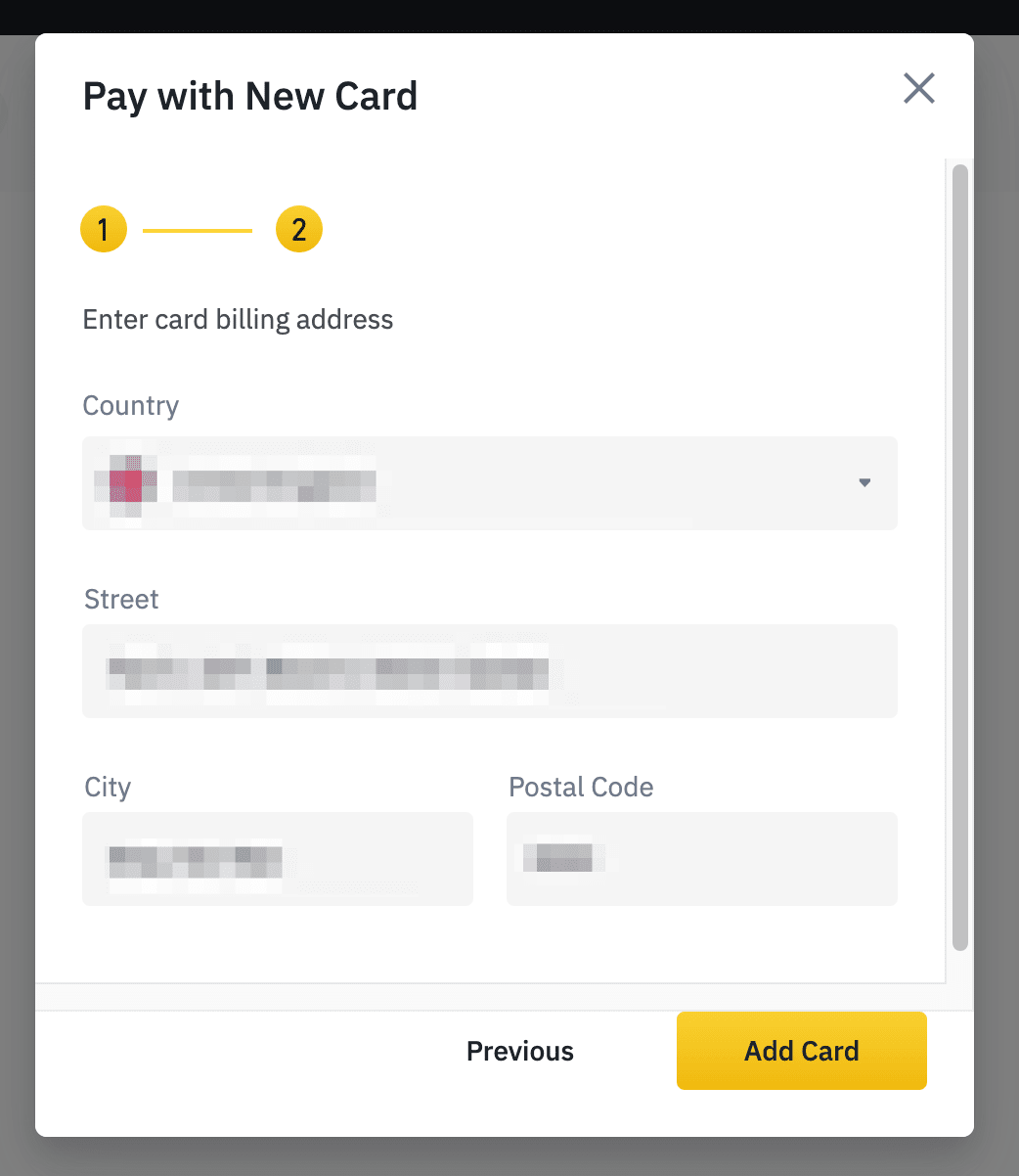
Step 4: Follow the instructions and enter your card information. Click [Next] to continue then press [Add card].

4 Fastest Ways to Buy Coins on Binance
Enter your card information

4 Fastest Ways to Buy Coins on Binance
Click [Add Card]
Step 5: Your card will be added. Click [Continue].

4 Fastest Ways to Buy Coins on Binance
Your card will be added. Click [Continue].
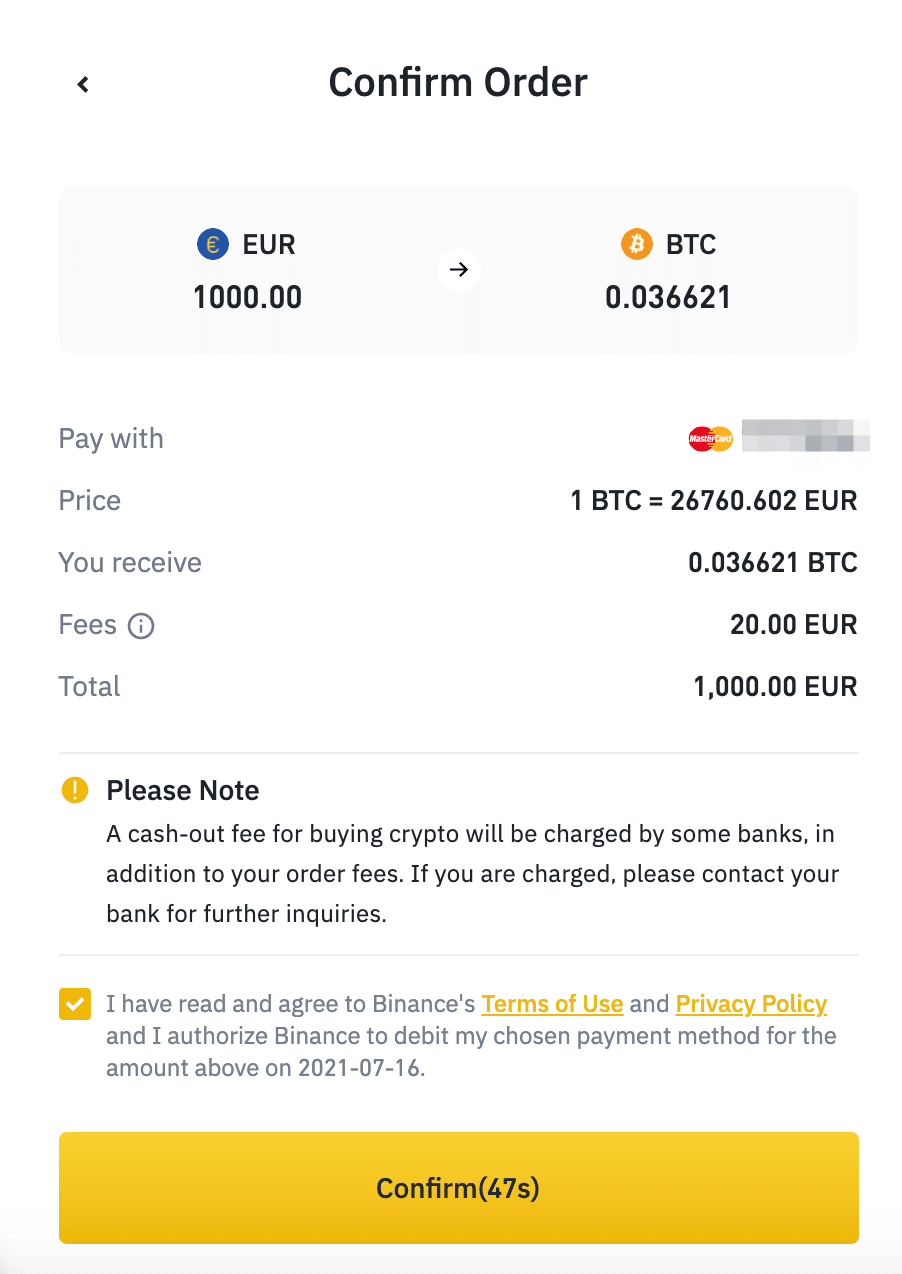
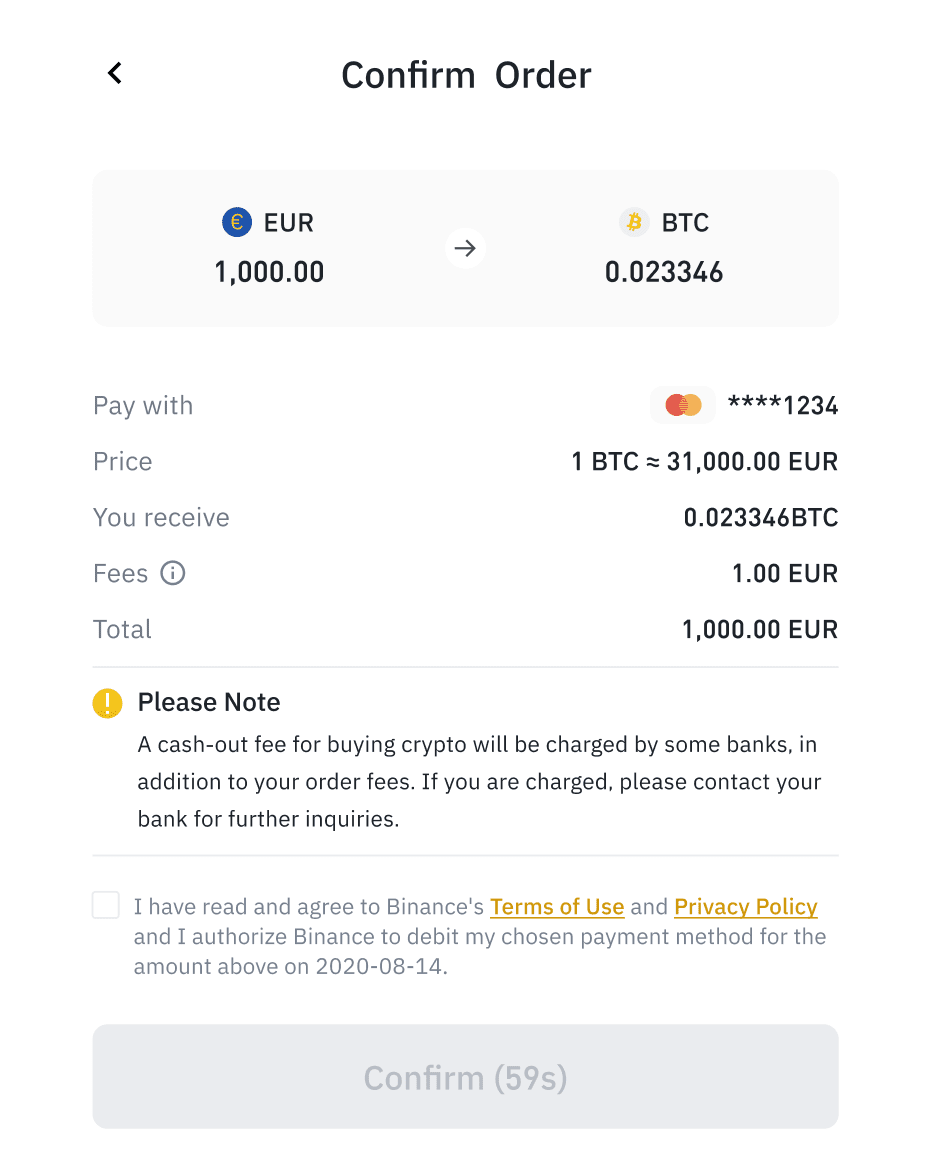
Step 6: Please check the payment and fee details and confirm your order within 1 minute, otherwise the cryptocurrency amount you can receive will be recalculated based on the current market price. You can click [Refresh] to see the number of new orders.
4 Fastest Ways to Buy Coins on Binance
Check payment and fee details and confirm your order within 1 minute

Step 7: You’ll be redirected to the bank’s OTP transaction Page. Follow the on-screen instructions to verify the payment. Then you can see the cryptocurrency purchased in your Binance Spot wallet

How to buy coins from a Bitcoin ATM

Step 1: Enter your phone number

Step 2: Verify your identity

Step 3: Scan your wallet to find a QR code

Step 4: Select fiat currency

Step 5: Confirm the transaction amount and finish

WikiBinance hope that the above article will help you get better grasp of 4 fastest ways to buy coins on Binance. If you have any question, leave a comment and we are always willing to help you.

>> Related: The latest Binance registration guide 2022.
Rate this post

Posted

in

by